
Driving a loaded Tata Signa truck from Pakistan back to India through dangerous mountain roads, broken highways, and flooded areas – sounds intense, right? That’s exactly what I experienced in my latest Euro Truck Simulator 2 gameplay, and it was one of the most challenging trucking sessions I’ve had.
This comprehensive guide covers everything about this dangerous route journey. I’ll share my experience with the new steering wheel setup that transformed my gameplay, discuss the challenging obstacles I faced including narrow streets and flooded roads, explain why Euro Truck Simulator 2 remains the best PC truck simulator in 2026, and provide essential tips for realistic truck driving with a steering wheel controller.
Quick Navigation:
- New Steering Wheel Setup
- The Journey: Pakistan to India Route
- Road Conditions & Challenges
- Mountain Roads Experience
- Why Euro Truck Simulator 2 Dominates
- Steering Wheel Tips
- Indian Mods Guide
- System Requirements
Watch Full Gameplay Video
Before diving into the details, watch the complete gameplay where I navigate through narrow streets, flooded roads, and challenging mountain terrain with my new steering wheel controller.
The video shows real-time struggles, close calls, and the realistic physics that make Euro Truck Simulator 2 so engaging.
The Mission: Escaping Pakistan with Loaded Cargo
The challenge was straightforward but difficult, drive a fully loaded Tata Signa truck carrying gravel from Pakistan back to India, covering approximately 15-20 kilometers through some of the most challenging routes.
The Setup:
- Truck: Tata Signa (Indian truck mod)
- Cargo: Gravel (full load)
- Route: Pakistan to India via mountain roads
- Challenge: Avoid traffic, navigate damaged roads, cross flooded areas
- Controller: New steering wheel with force feedback
Game: Euro Truck Simulator 2 with Indian mods
DOWNLOAD EURO TRUCK SIMULATOR 2
New Steering Wheel Setup – Game Changer
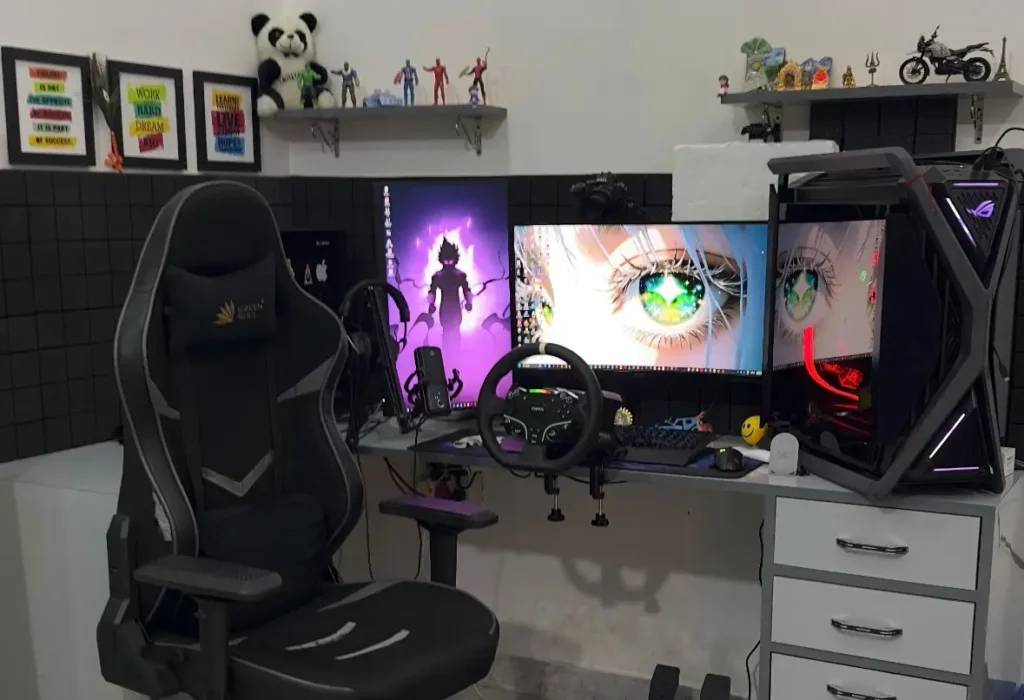
I recently upgraded to a new steering wheel controller for Euro Truck Simulator 2, and the difference is massive. The force feedback, realistic turning resistance, and precise control completely transform the gameplay experience.
Why Steering Wheel Matters:
Playing with keyboard or controller is fine, but a proper steering wheel brings authentic truck driving simulation. You feel the weight of the loaded truck, the resistance when turning, and the need for careful control on difficult terrain.
Key Benefits:
- Realistic resistance when turning
- Physical feedback on rough roads
- Better control in tight situations
- Immersive trucking experience
I’ve created a detailed vlog about this steering wheel setup, including unboxing, installation, and first impressions.
The Journey Begins – Narrow Streets Challenge
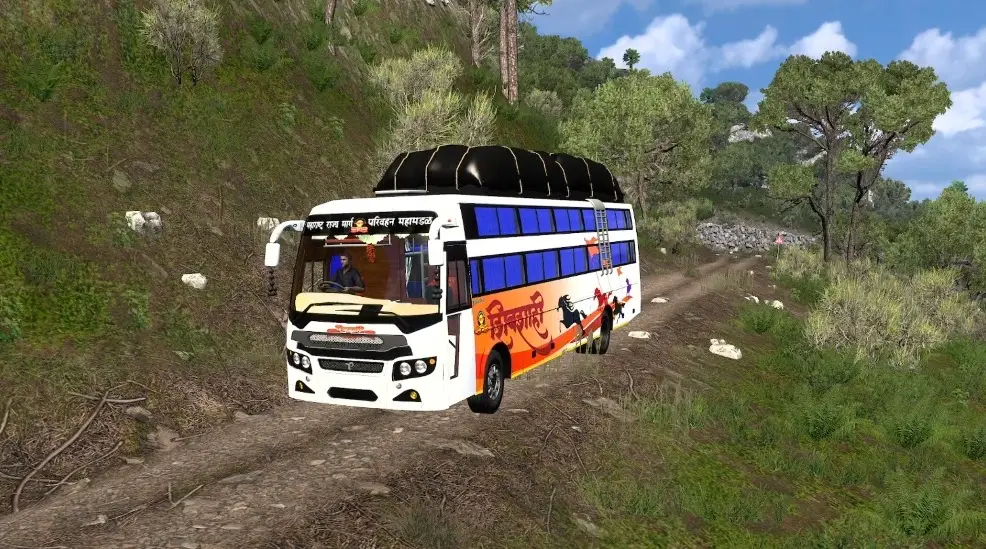
Starting from a tight residential area in Pakistan, the first challenge was simply getting the massive Tata Signa truck out of narrow streets filled with parked vehicles and people.
Initial Obstacles:
The narrow lanes tested my patience immediately. With a fully loaded truck, every turn required careful calculation. Side mirrors became crucial for avoiding parked vehicles and walls.
Traffic Violations:
Within minutes, I accidentally took a wrong route and received a 100 Euro fine for wrong way violation. Euro Truck Simulator 2’s realistic traffic rules system adds another layer of challenge you can’t just drive recklessly without consequences.
Tight Maneuvering:
The automatic transmission helped, but controlling a loaded truck in narrow spaces with a steering wheel requires genuine skill. Several times I had to reverse and adjust angles to avoid hitting obstacles.
Road Conditions – The Real Challenge
Once out of the narrow streets, I expected smoother sailing. Instead, the road conditions became progressively worse.
What I Encountered:
Potholes and Damaged Roads: The highway wasn’t maintained properly. Deep potholes appeared frequently, forcing me to reduce speed significantly. With a loaded truck, hitting these at high speed risks losing control or damaging the vehicle.
Flooded Sections: Multiple areas had standing water, not just puddles, but deep flooded sections where the road disappeared under water. Navigating these required:
- Reduced speed to minimum
- Maintaining steady throttle
- Watching for submerged obstacles
- Avoiding getting stuck in mud
Muddy Terrain: Offroad sections with thick mud tested the truck’s traction. The physics engine in Euro Truck Simulator 2 accurately simulates how a loaded truck struggles in muddy conditions. I could feel the wheels losing grip through the steering wheel feedback.
Mountain Waterfalls: One particularly challenging section had a waterfall crossing the road, creating a dangerous mix of flowing water and slippery surfaces. Other vehicles were getting stuck, and I had to time my crossing carefully.
Traffic and Other Drivers
The AI traffic in Euro Truck Simulator 2 adds realism but also creates frustrating situations, just like real highways.
Challenges Faced:
Random Stops: Vehicles would randomly stop in the middle of the road, creating sudden obstacles requiring quick reactions.
Reckless Drivers: Some AI drivers performed dangerous maneuvers, sudden lane changes, stopping in blind spots, and driving too close.
Traffic Jams: Hit a major traffic jam early in the journey. The gridlock forced me to find alternative routes through even worse road conditions.
Animals on Road: Goats standing in the middle of the highway added another realistic element to the simulation.
Mountain Roads – Most Dangerous Section
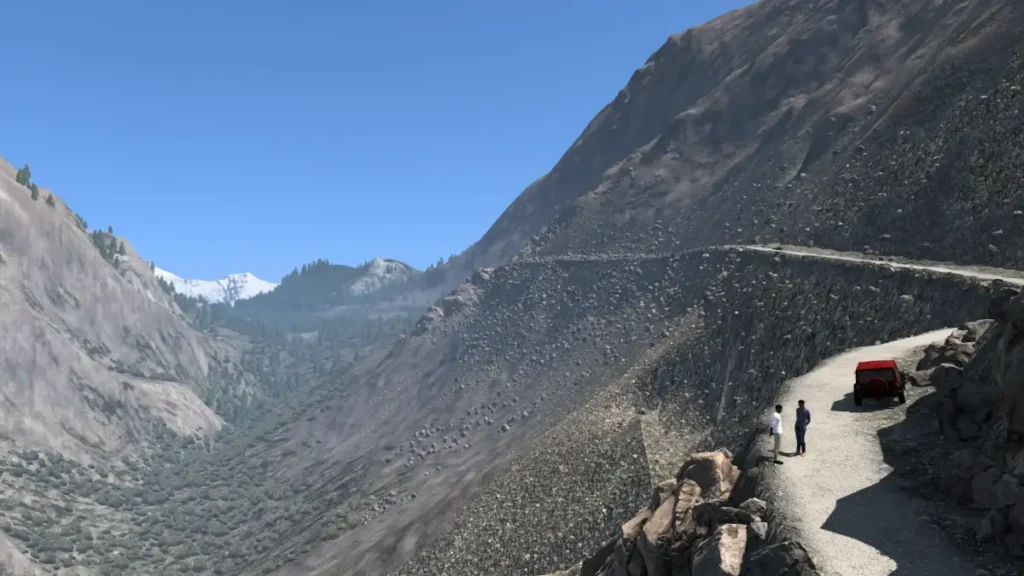
The mountain portion of the route proved to be the most challenging part of the entire journey.
Why It Was Difficult:
Narrow Paths: Single lane mountain roads with no guard rails. One wrong move could send the truck off the cliff.
Steep Grades: Going uphill with full load required careful throttle control. The engine struggled, and maintaining momentum was crucial.
Sharp Turns: Hairpin turns on mountain roads required slow speeds and precise steering. The steering wheel’s force feedback helped judge exactly how much to turn.
Poor Visibility: Evening approached during this section, reducing visibility significantly. Combined with no street lights and challenging terrain, it became genuinely tense.
Road Surface: Mountain roads had the worst conditions – broken asphalt, exposed rocks, water damage, and unpredictable surfaces.
Evening Stop – Smart Decision
After hours of challenging driving, darkness started falling. I reached the first checkpoint as evening turned to night.
Rather than attempting the remaining journey in complete darkness through dangerous terrain, I decided to park safely and wait. This reflects realistic truck driving, sometimes waiting for better conditions is smarter than pushing through dangerous situations.
Why Euro Truck Simulator 2 Still Dominates in 2026
This challenging journey showcased exactly why Euro Truck Simulator 2 remains the best PC truck simulator available.
Key Strengths:
Realistic Physics: The way the loaded truck handles differently from an empty one, how mud affects traction, how momentum works on hills, all feel authentic.
Indian Mod Support: Being able to drive authentic Indian trucks like Tata Signa with proper branding and specifications adds personal connection for Indian players.
Environmental Variety: From narrow city streets to mountain roads, flooded highways to smooth tarmac, the variety keeps gameplay engaging.
Weather and Time System: Dynamic weather and day night cycles affect visibility and road conditions, adding strategic depth.
Traffic AI: While sometimes frustrating, the AI traffic behaves realistically enough to create genuine challenges and unpredictable situations.
Steering Wheel Support: Full support for force feedback steering wheels transforms this from a game into a simulation.
Tips for Playing Euro Truck Simulator 2 with Steering Wheel
Based on this challenging journey, here are essential tips for realistic gameplay:
Control Tips:
- Slow Down in Difficult Terrain: Don’t rush through bad roads or flooded areas
- Use Mirrors Constantly: Essential for tight spaces and lane changes
- Smooth Inputs: Jerky steering or throttle inputs lose control, especially with heavy loads
- Brake Early: Loaded trucks need much more stopping distance
- Plan Routes: Check road conditions before committing to a route
Steering Wheel Settings:
- Adjust force feedback to comfortable level
- Calibrate properly for accurate steering
- Set rotation to realistic truck steering ratios
- Practice in easy conditions before challenging routes
Game Settings:
- Enable realistic damage to increase challenge
- Use manual transmission for more control (optional)
- Adjust graphics for smooth performance
- Enable traffic violations for realism
Indian Mods for Euro Truck Simulator 2
The Tata Signa truck I used isn’t in the base game – it’s an Indian mod that adds authentic Indian vehicles.
Popular Indian Mods:
- Tata Signa Trucks: Various configurations
- Indian Roadways Buses: State transport vehicles
- Ashok Leyland Vehicles: Multiple truck models
- Indian Map Mods: Recreated Indian highways and cities
- Indian Radio Stations: Listen to desi music while driving
How to Install Mods:
YouTube has numerous tutorials showing how to download and install mods for Euro Truck Simulator 2. The process is straightforward:
- Download mod files
- Place in mods folder
- Enable in mod manager
- Enjoy Indian vehicles and content
System Requirements for Euro Truck Simulator 2
Good news for PC gamers – Euro Truck Simulator 2 doesn’t require expensive hardware.
Minimum Specs:
- 8-10 GB RAM
- Mid-range processor
- Integrated or dedicated graphics
- Windows 10/11
Recommended for Best Experience:
- 16 GB RAM
- Decent graphics card (GTX 1050 or better)
- SSD for faster loading
- Steering wheel controller
Even modest gaming laptops run this game smoothly on medium-high settings.
Final Thoughts
Euro Truck Simulator 2 continues to offer unmatched truck simulation experiences in 2026. Combined with Indian mods, steering wheel controllers, and challenging custom routes, it provides hundreds of hours of engaging gameplay.
The Pakistan to India journey through dangerous mountain roads showcased exactly why serious simulation gamers choose this title. The realistic physics, environmental challenges, and authentic truck handling create genuinely engaging gameplay that goes beyond simple driving.
Whether you’re a veteran player or considering trying Euro Truck Simulator 2, adding a steering wheel controller and Indian mods transforms it into an incredibly immersive experience.
Safe driving and happy trucking! 🚛
Game: Euro Truck Simulator 2
Platform: PC (Steam)
Mods Used: Indian Truck Mods (Tata Signa)
Controller: Force Feedback Steering Wheel
GET EURO TRUCK SIMULATOR 2 ON STEAM
Check the video description for steering wheel setup vlog and more gaming content! 🎮